
Mind Mapping Software – Visualize & Boost Productivity
Mind Mapping Software
In today’s fast-paced world, ideas move quickly. A mind mapping software helps you capture, organize, and connect ideas visually. Whether you’re a student planning assignments, a professional brainstorming with colleagues, or a business mapping out complex workflows, a mind mapping tool simplifies the process. By using structured visual diagrams, you can break down complex concepts into manageable pieces, improving clarity and creativity.
About dEnterprise Atlas
dEnterprise Atlas is a company dedicated to creating intuitive and effective software solutions for teams and organizations. We focus on making complex processes simple, helping users visualize structures, collaborate efficiently, and manage projects with clarity. Our team is committed to continuous innovation, delivering tools that are easy to use while addressing real-world business needs.
Founded with the goal of improving workflow management, we prioritize user experience, reliability, and customer support. Our platform is designed to grow with your organization, offering flexibility and scalability to meet evolving requirements. At dEnterprise Atlas, we strive to empower teams to work more effectively and make informed decisions with confidence.
Why Choose dEnterprise Atlas for Mind Mapping Software
Mind mapping tools go beyond pen and paper. They provide interactive, cloud-based platforms that enhance collaboration and allow real-time updates. With these tools, you can:
Capture ideas instantly with intuitive drag-and-drop design
Collaborate with team members anywhere in the world
Create structured diagrams that improve communication
Share your maps across platforms for seamless workflow integration
Save time and reduce confusion with visual clarity
Choose your plan
Simple pricing, No hidden charges. Choose a plan that fits your need!
Free
6 Months
$
0.00
-
Unlimited Editable Documents
-
Basic Collaboration
-
Basic Integrations
-
Basic Security
-
No admin controls
-
No Advanced data and automation
-
No SSO
Team
Starting at $5.99 USD/User (3 user minimum)
$
5.99
-
Unlimited Editable Documents
-
Advanced Collaboration
-
Advanced Integrations
-
Advanced Security
-
Basic Easy admin controls
-
No Advanced data and automation
-
No SSO
Popular
Enterprise
Contact us for a quote!
$
4.49
-
Unlimited Editable Documents
-
Advanced Collaboration
-
Advanced Integrations
-
Advanced Security
-
Advanced Easy admin controls
-
Advanced data and automation
-
SSO
Features of Our Mind Mapping software
Our online platform is built with modern users in mind. Here’s what sets our Mind Mapping Software apart:
Drag-and-Drop Simplicity
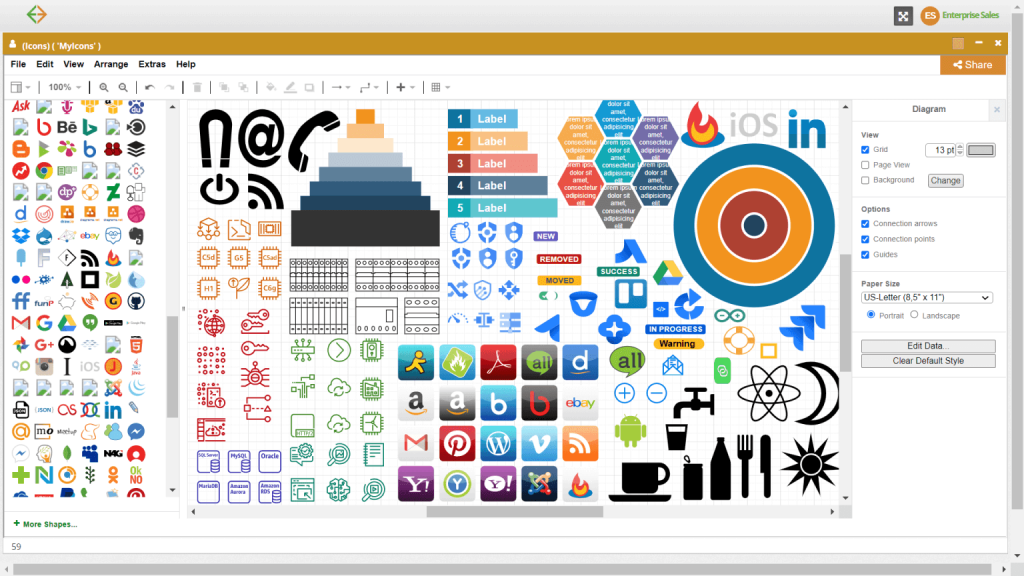
No need for complex tutorials—our interface allows you to select shapes, connect steps, and design charts with ease.
Pre-Built Templates
From organizational charts and process flows to technical system diagrams, our template library accelerates your design process.
Real-Time Collaboration
Work simultaneously with colleagues no matter where they are. Everyone stays updated with instant changes and shared access.
Secure Cloud Storage
Your diagrams are always available, backed up, and protected with industry-leading security protocols.
Export & Sharing Options
Need to present your flowchart? Export it as PDF, PNG, or SVG—or share a live link directly with stakeholders.
Cross-Device Compatibility
Access and edit your diagrams from desktop, tablet, or smartphone. Perfect for teams on the go.
How Our Process Works
Using dEnterprise Atlas Mind Mapping Software is designed to be effortless, whether you’re a first-time user or an experienced professional. We built the process around simplicity, collaboration, and efficiency so you can focus on ideas—not learning a complicated tool.
1. Sign Up and Access Your Dashboard
Getting started is quick. Once you create an account, you’ll enter a clean, intuitive dashboard that puts all your projects in one place. From here, you can start a new flowchart, manage existing diagrams, or organize files for different teams and projects. Everything is stored securely in the cloud, so your work is always accessible.
2. Choose a Template or Start from Scratch
Not sure where to begin? Our template library has professionally designed options for process flows, organizational charts, decision trees, and more. If you prefer flexibility, you can start with a blank canvas and build your diagram from the ground up. Either way, you’re in control of how your workflow is visualized.
3. Drag, Drop, and Connect Elements
Our drag-and-drop editor makes it easy to add shapes, connect arrows, and insert labels. You don’t need design skills—just select the elements you need and arrange them visually. Every adjustment happens in real time, and smart guides keep your diagrams neat and professional.
4. Collaborate and Share in Real Time
Work is rarely a solo effort. That’s why our platform allows you to invite teammates to view, edit, and comment on diagrams simultaneously. Changes are visible instantly, so there’s no need to email multiple versions or worry about outdated files. With role-based permissions, you decide who can edit, comment, or only view.
5. Export, Present, and Integrate
Once your flowchart is complete, it’s easy to share. Export it as a PDF for reports, a PNG for presentations, or an SVG for scalable use. You can also generate a secure share link to collaborate externally. Our software integrates seamlessly with tools you already use, ensuring your diagrams fit naturally into your workflow
Frequently Asked Question
Mind mapping software is used to organize ideas visually, making it easier to brainstorm, plan projects, and improve clarity.
You can use mind mapping tools that allow you to start with a central idea, then add branches, subtopics, and connections in an interactive workspace.
Yes. Most modern mind mapping tools allow real-time collaboration, letting multiple users edit and comment on the same map.
Absolutely. Students use mind maps for studying, note-taking, essay planning, and organizing research projects.
Yes. You can export maps as PDF, PNG, SVG, or integrate them with project management software.
Get in Touch
Ready to create better mind mapping software?
👉 Contact us today or start your free trial.
- Address: 1371 N Wood Dale Rd, Wood Dale, IL 60191, United States
- Phone : +1 773-359-3636
- Follow Us On Facebook